 Join us on Discord
Notes
Personal and Work folders, a Private folder that opens with your fingerprint, and a glass bar for bold, lists and headings.
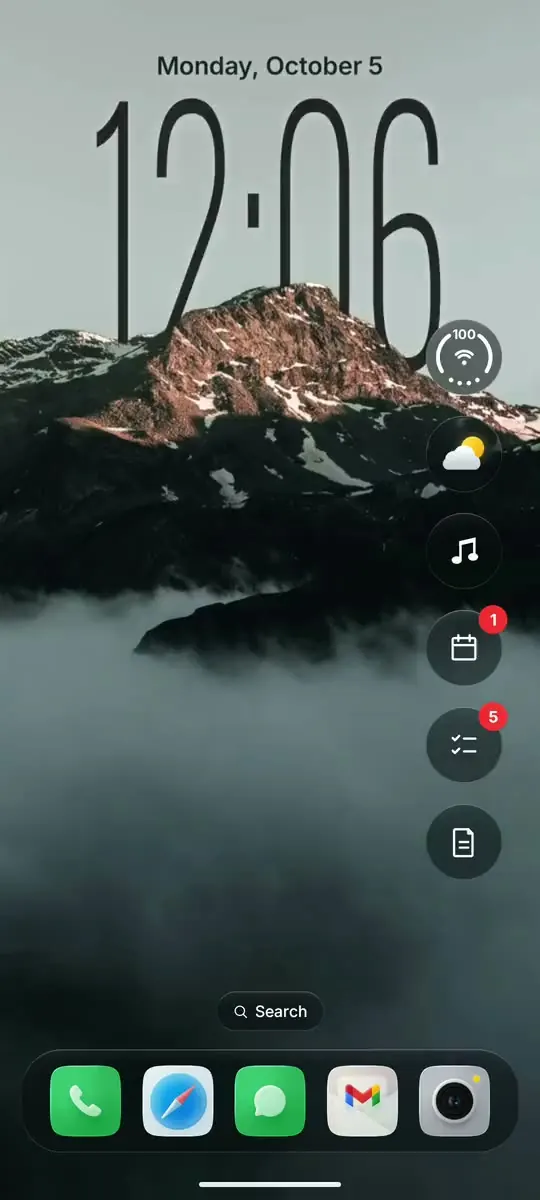
A liquid glass home screen for touchscreen Android phones. Every message in one place, a clock that sits behind your wallpaper, widgets a tap away and one search bar that adds notes, to-dos and events. One app, one price, no subscription.
Most Android launchers still look like Android. Glass OS gives your phone the look of a new iPhone, with real liquid glass on every pane and everything you need one swipe or one tap from home.
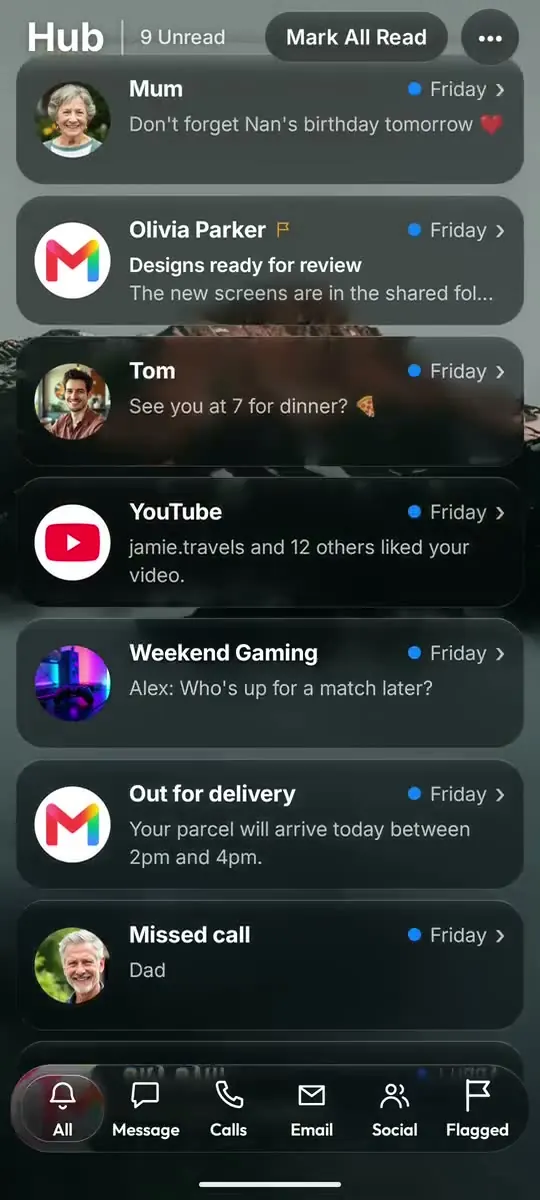
Swipe right from the Home Screen for all your notifications, sorted into Messages, Calls, Email and Social. Each card shows who it's from, with their picture, and the floating glass tab bar bends the cards as they scroll underneath it.
Tap Search and start typing an app's name to open it. Start with a symbol to do more in one line: - adds a to-do, ! a note, * an event, @ a message and # a call. Dates like "tomorrow" or "friday 10am" just work.
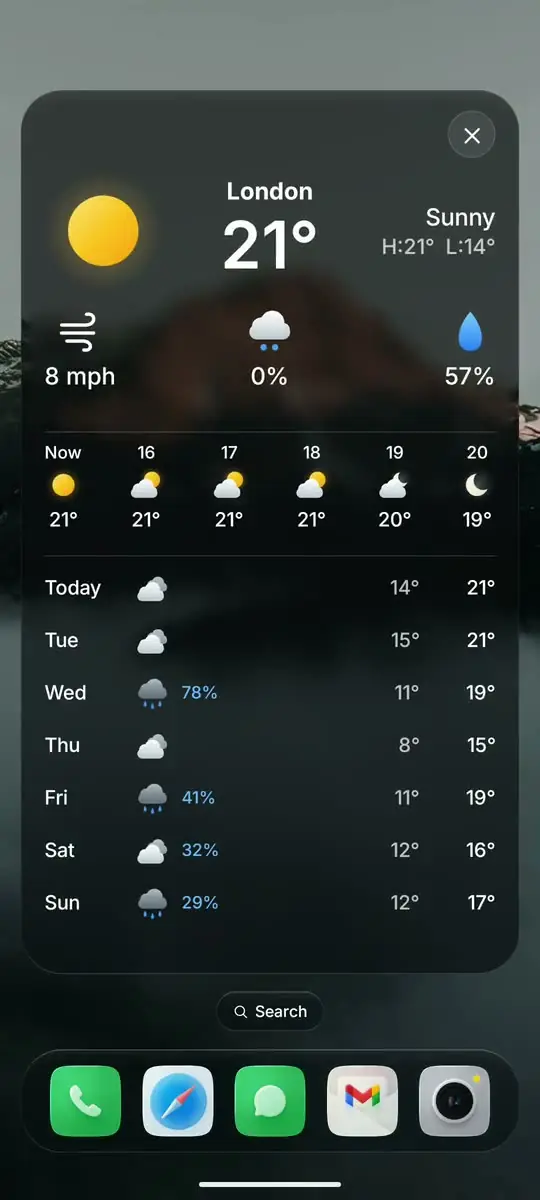
Glass bubbles down the side of the Home Screen open into full widgets: the forecast for the next hours, your next events, your to-do list and your latest notes, plus what's playing with its controls. Each one shows a number badge when something needs you.
Choose a built-in wallpaper or a photo of your own and Glass OS finds its subject, then tucks the clock behind it the way the iPhone lock screen does. On a tall phone the clock sits near the top, and your lock screen switches to match.
Hold an icon to move it, drop one app on another to make a folder, and keep your favourites in the glass dock. Folders grow out of their icon when you open them, and apps show a red number when they have new notifications, just like iOS.
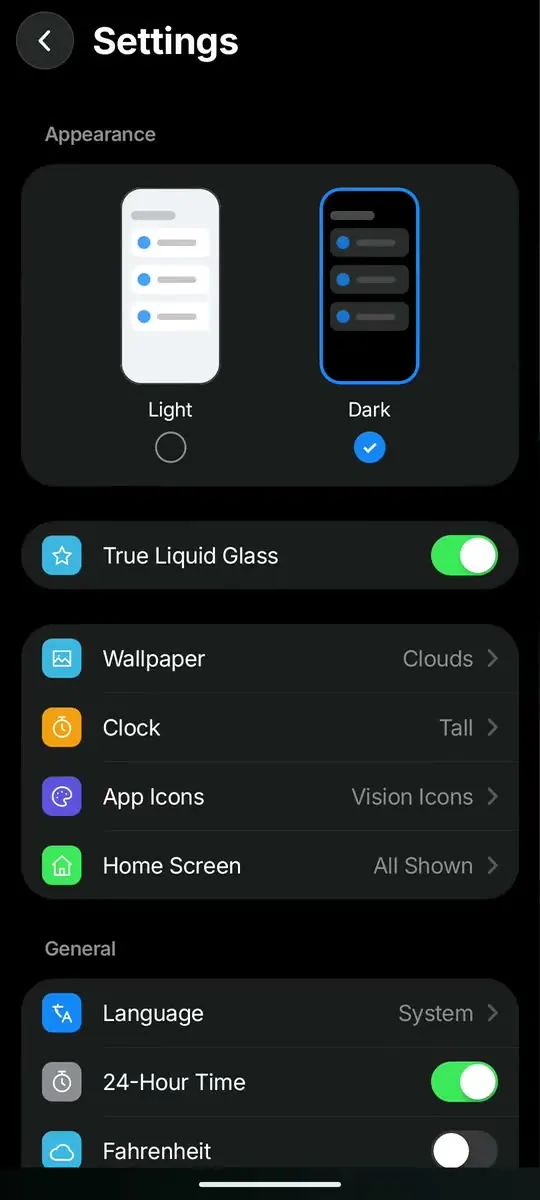
Light or dark, True Liquid Glass, wallpaper, clock, icons, what shows on the Home Screen, your language and encrypted backups you can restore on a new phone. Hold any empty part of the Home Screen and tap the Settings button beside Done to get here.
Notes, To-do and Events, all in the same glass style and all a tap away from the Home Screen.
Personal and Work folders, a Private folder that opens with your fingerprint, and a glass bar for bold, lists and headings.
Tick things off, see what's done, and add more from Search with a dash.
Your next events at a glance, and a full month calendar using the calendars already on your phone.
Real liquid glass that bends what's behind it, a clock with depth and iOS style folders, without changing your phone.
Nothing to sign up for, no ads and no tracking. Notes and messages never leave your phone, and backups are locked with a passphrase you choose.
Pay £4.99 once and every update after that is free, with your notes, settings and layout kept each time.
Most of each update comes from buyers' emails. Send in an idea or a problem and it could be in the next one.
£4.99
Pay once. Updates are free. Android 13 or later.
Buy on Play StoreThe app icons on this page aren't part of Glass OS. They're Vision Icons by designer Lokki, sold separately, and Glass OS works with any icon pack you like.
See Vision Icons by Lokki ↗The mountain and clouds wallpaper does come with Glass OS. It's "A mountain with clouds below", a photo by Wijnand Boerma on Unsplash.
Any Android phone on Android 13 or later, touchscreen or keyboard. On a tall touchscreen phone the clock sits near the top and the widgets down the side, and you type in Search with your on-screen keyboard. Got a keyboard phone? See Glass OS on one.
No. Everything works by touch: tap Search to type, swipe for the Hub and your app pages, and hold an empty part of the Home Screen to add apps and widgets or open Settings. A physical keyboard just adds shortcuts on top.
Yes, that's where it's sold. It's £4.99 once on the Google Play Store, and setup does the rest after it installs.
Google Play brings each new version for free, and your notes, settings and layout stay as they were.
Yes. A wallpaper you pick in Glass OS is also set as the phone's own wallpaper and lock screen, so everything matches when you switch apps or lock the phone.
Thirteen: English, German, French, Spanish, Italian, Dutch, Polish, Portuguese, Russian, Turkish, Japanese, Korean and Chinese. Change it any time in Settings, Language.
No. The only thing that goes online is a weather lookup for your rough location, plus a backup file if you choose to make one. There's no account. The privacy policy has the detail.